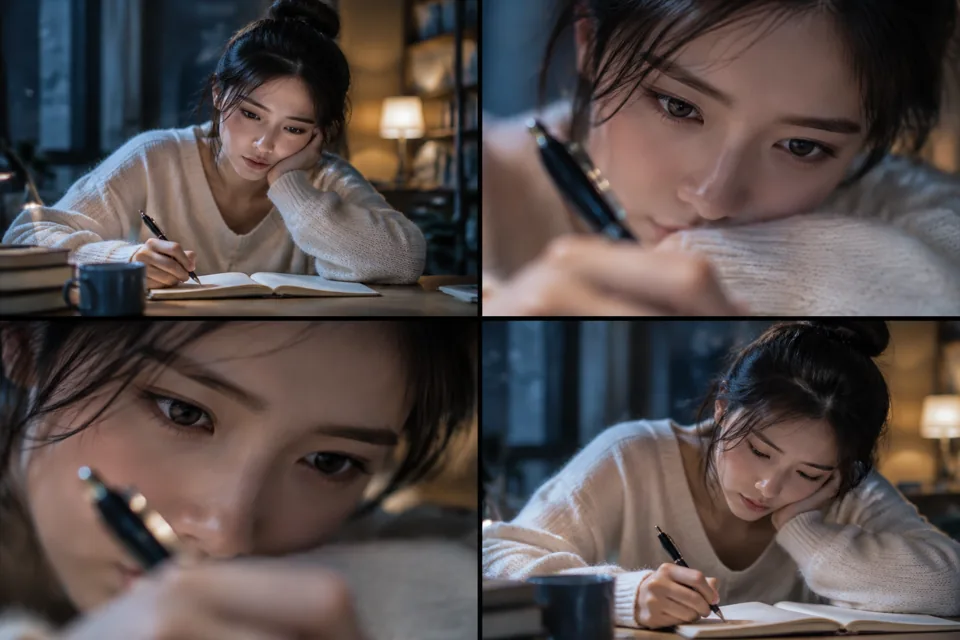
 分镜预览
分镜预览四格分镜展示提示词中的画面方向,实际视频效果以生成结果为准。
- 模型
- sora-2
- 时长
- 4s
- 画幅
- 16:9
- 分辨率
- 720p
- 参考图片
- 0
- 参考音视频
- — / —
怎样让镜头更好Cookbook 原文:「same shot, switch to 85 mm」「Editing is for nudging, not gambling」—— 这条把 Edit Workflow 直接转成可复用模板
生成后检查什么本站尚未实测。检查主体一致性、运镜连续性与动作完整性;参考原始来源核对效果。
社区来源 · 本站未实测OpenAI Cookbook — Iterate with video edits ↗ · cclank/lanshu-awesome-ai-video-kit
MIT (repository)
完整提示词 v1
Style: Continuation of a previous Sora 2 generation. Maintain the locked aesthetic — same wardrobe, same set dressing, same color grade. Only change what is specified below.
Reference: same subject, same location, same lighting setup as the original clip.
Cinematography (changes only):
- Same shot, switch to 85mm
- Shallower depth of field; tighter framing on the subject's eyes and hands
- Keep camera height and angle identical to the original
Actions (unchanged):
- Subject performs the original action exactly as before; do not re-block, do not re-light
Background Sound: Identical to the original — diegetic only, no added score.
Production note: this is an EDIT prompt, not a fresh generation. Pin the original as reference and describe only the change ("same shot, switch to 85mm"). Sora 2 Edit endpoint: POST /v1/videos/{video_id}/edits.
来源模型:Sora · sora-2
原始参数:{"aspect": "16:9", "duration": "4s"}
示例分类不代表本站已接入该模型。实际可用模型以视频片场为准;跨模型使用提示词时,请检查参数并调整。
复用会带入提示词、模型、时长、画幅和已发布的参考素材。缺少的参考文件可在片场补充;提交前会显示费用。
阅读视频创作指南