Skip to content
nbilitygen
← VIDEO INSPIRATION

多镜头连续性两段(Multi-shot 拼接)

Sora · 电影叙事 · 开源社区示例

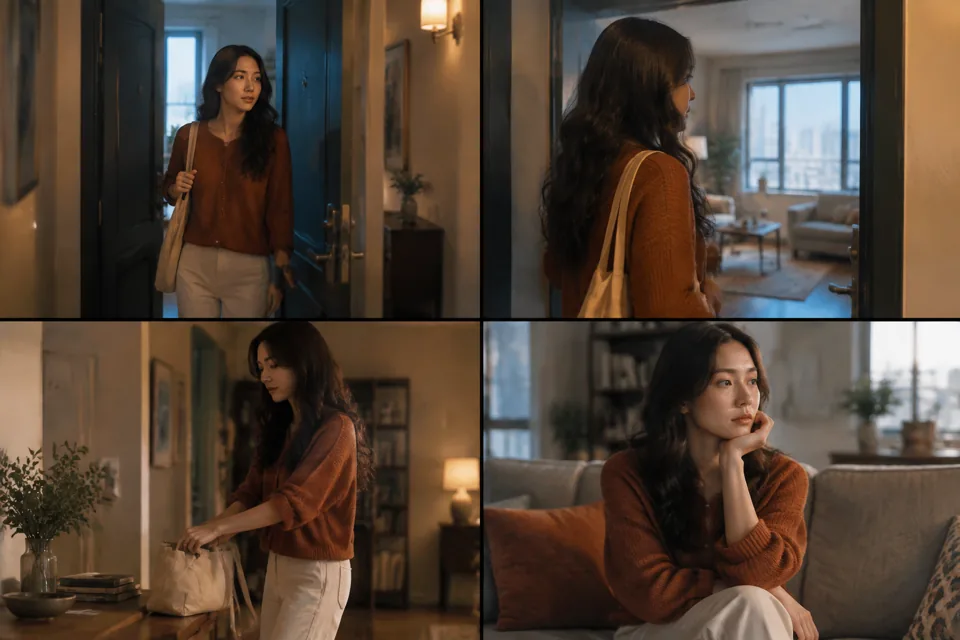
Storyboard preview for 多镜头连续性两段(Multi-shot 拼接)STORYBOARD PREVIEW

A four-frame storyboard of the prompt’s visual direction. Actual video results depend on generation.

Model
sora-2
Duration
8s
Aspect ratio
16:9
Resolution
720p
Images
0
Media refs
— / —

Make the shot betterCookbook 原句:「Describing multiple shots in a single prompt is also valid... keep each shot block distinct: one camera setup, one subject action, and one lighting recipe at a time.」

What to look for本站尚未实测。检查主体一致性、运镜连续性与动作完整性;参考原始来源核对效果。

Community source · not tested on GenOpenAI Cookbook — Multi-shot prompts ↗ · cclank/lanshu-awesome-ai-video-kit
MIT (repository)

The complete prompt v1

Style: Naturalistic indie drama, 35mm spherical, soft afternoon grade, palette anchors: oat, slate blue, soft rust. Keep style identical across both shots so they cut cleanly. Shot 1 (0.0–4.0s) — Apartment doorway: - Camera: medium-wide, locked off at eye level - Lens: 35mm; shallow DOF on the subject - Lighting: warm hallway key from camera right, cool spill from open apartment - Action: A woman in a soft rust sweater pauses in the doorway, sets a paper grocery bag on the floor, looks back over her shoulder once Shot 2 (4.0–8.0s) — Kitchen counter: - Camera: medium close-up, locked off - Lens: 50mm; same shallow DOF; same wardrobe and lighting logic - Lighting: window light from camera left, warm pendant fill above the counter - Action: Same woman unpacks one apple from the bag, places it on a wooden board, exhales once Background Sound: Door click between shots; bag rustle; apple set down softly. No score, no transition sweetener. Note: each shot has one camera setup, one action, one lighting recipe — per Cookbook's multi-shot guidance. Stitch the two clips in edit or let them play as a sequence.

Original model: Sora · sora-2
Original parameters: {"aspect": "16:9", "duration": "8s"}
A model category does not mean it is available on Gen. Check the studio for currently available models; review settings when adapting a prompt across models.

Reuse carries the prompt, model, duration, ratio and published references into the studio. Add any missing files and review the price before submitting.

Read the video guide